
How to Import a Character into BUG Clicker (.cvclk)
Add a .cvclk character to BUG Clicker on Windows or Mac: open settings, drop the file into the Share tab, then show it from the Characters tab.
最近更新: 2026-10-31
A BUG Clicker character comes as a .cvclk file: one file with its pictures, name and lines. You add it from BUG Clicker's own settings. It takes about 15 seconds and works with every version of the app.
5 步放進 BUG Clicker
1在桌面上的桌寵按右鍵,選 開啟設定…(英文介面是 Open settings…)。桌面上沒有桌寵?點螢幕右下角工作列系統匣裡的 BUG Clicker 圖示,它可能藏在 ^ 箭頭裡。
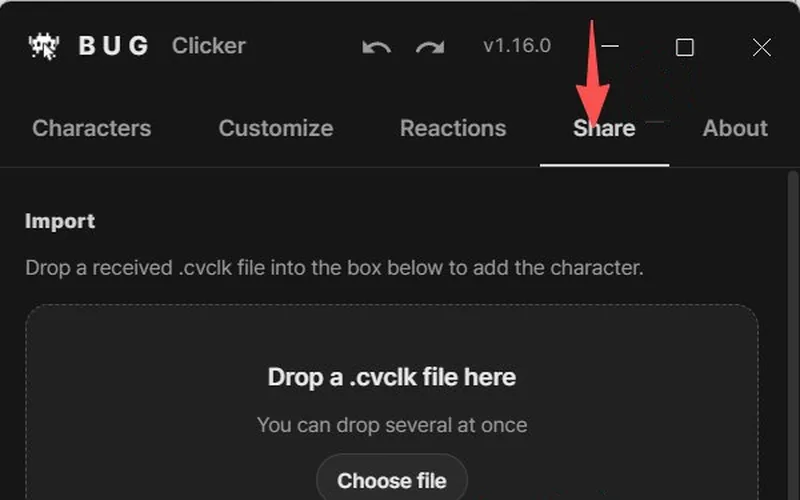
2點 分享 分頁(英文介面是 Share)。
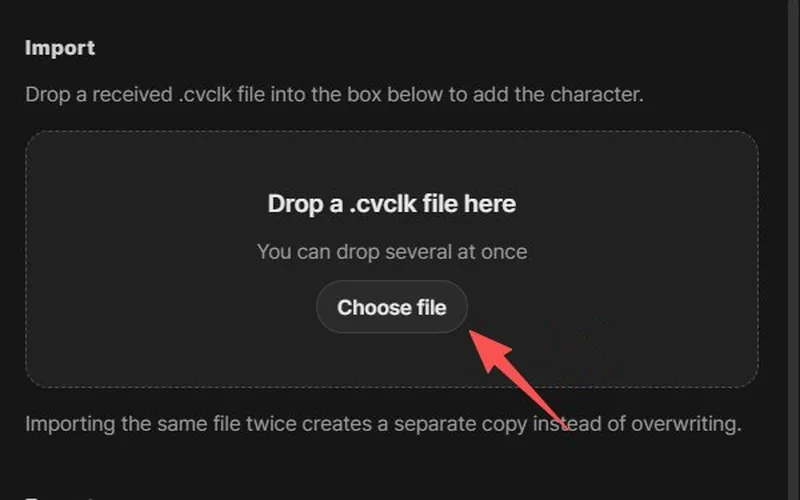
3把 .cvclk 檔拖進寫著 把 .cvclk 檔拖到這裡 的框(或點 選擇檔案),再點 匯入。
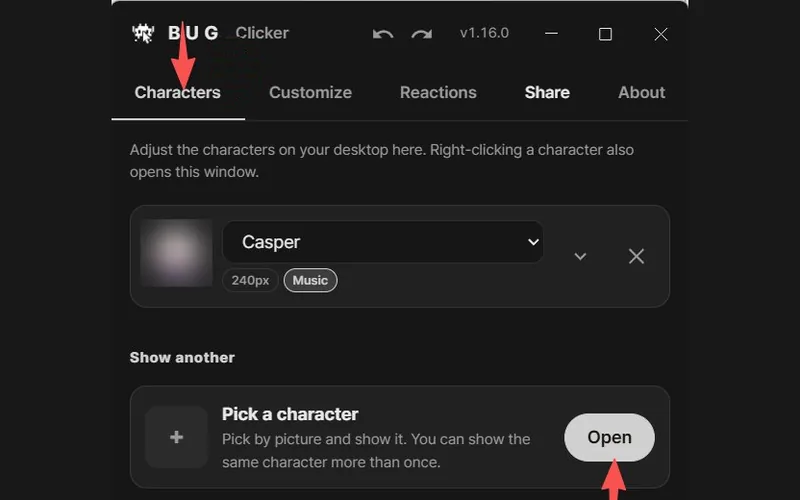
4桌面上還沒出現?點 角色 分頁(英文介面是 Characters),在 Pick a character 那一行點 Open。
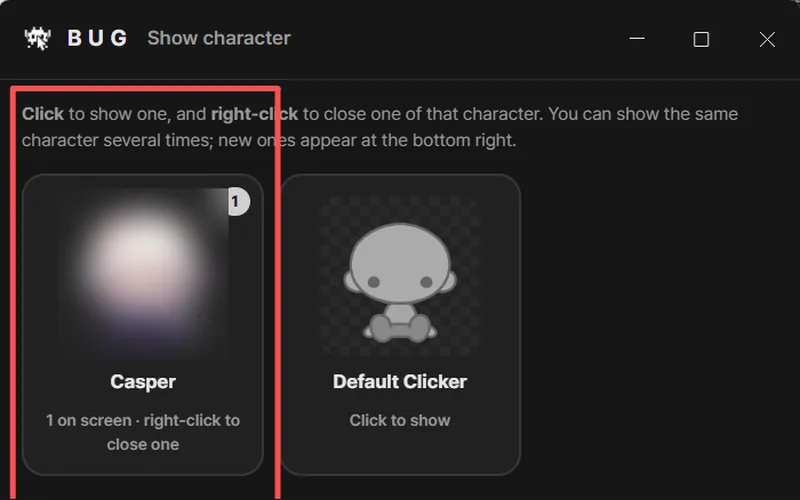
5在跳出的 顯示角色 視窗(英文介面是 Show character)裡點你的角色,它就會出現在桌面上;在卡片上按右鍵可收起一個。
截圖:BUG Clicker 1.16 英文介面,來自 X 使用者 @NEKOYAMAMONO 的分享
小技巧:不用去資料夾裡找,直接從瀏覽器的下載清單把檔案拖進框裡。
- 任何版本的 BUG Clicker 都能匯入,不用先更新。
- 匯入只會新增角色,不會取代你已有的角色。
- 上面寫的是繁體中文介面的按鈕名稱,括號裡是英文介面的叫法。
If the character doesn't show up
- Imported, but it isn't on the desktop? Importing adds it to your list. Open the Characters tab, click Open next to Pick a character, then click its card in the Show character window.
- Check the file ends in .cvclk. Some browsers add
.jsonor put it in a.zip. Unzip it first; BUG Clicker also accepts.jsonfiles exported this way. - Nothing happened after dropping? Click Choose file in the same box and pick the file instead. Then click Import in the window that opens.
- "Locked by its creator"? That file was exported with protection on. Only BUG Clicker can open it, and only the creator can change it.
- It imported but doesn't talk? Open the character in settings and turn on its speech bubble.
More fixes: BUG Clicker troubleshooting.
Have a PSD instead?
Open Character Studio, then Images → Load PSD. A PSD only carries the pictures; you add the name and lines in BUG Clicker. Not sure your PSD will load? Run it through the free PSD checker first.