
How to Import a Character into BUG Clicker (.cvclk)
Add a .cvclk character to BUG Clicker on Windows or Mac: open settings, drop the file into the Share tab, then show it from the Characters tab.
Last updated: 2026-10-31
A BUG Clicker character comes as a .cvclk file: one file with its pictures, name and lines. You add it from BUG Clicker's own settings. It takes about 15 seconds and works with every version of the app.
5단계로 BUG Clicker에 추가하기
1바탕화면의 펫을 오른쪽 클릭하고 Open settings…를 고르세요. 화면에 펫이 없나요? 오른쪽 아래 작업 표시줄 트레이의 BUG Clicker 아이콘을 클릭하세요(^ 화살표 안에 숨어 있을 수 있어요).
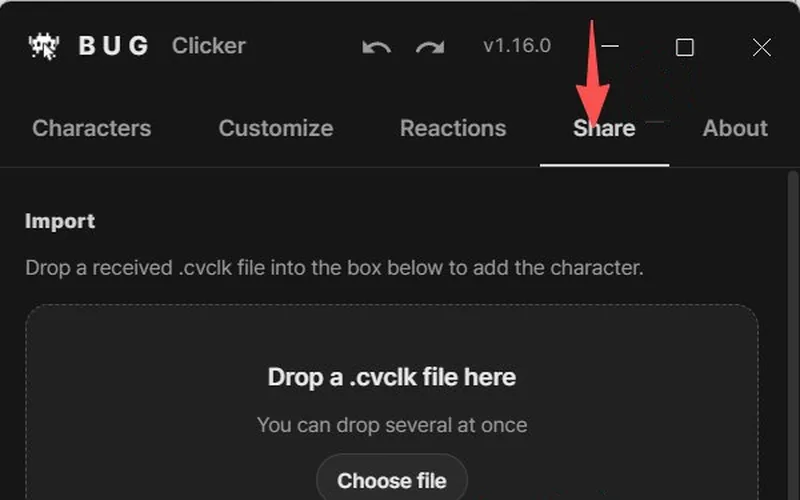
2Share 탭을 여세요.
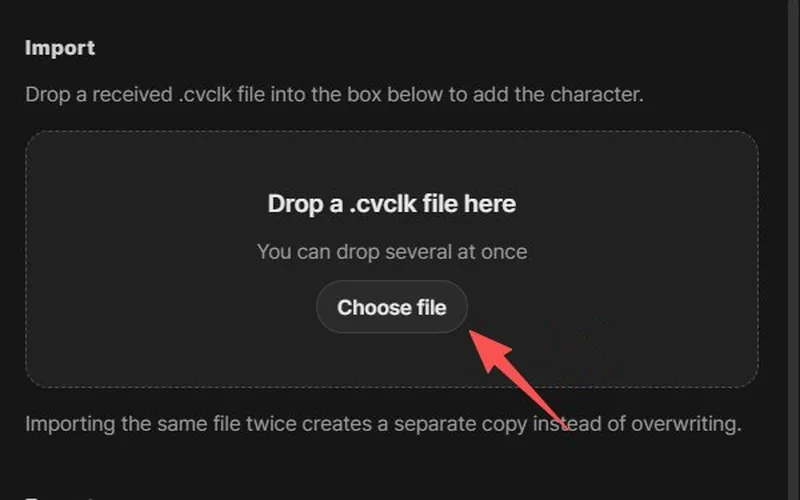
3.cvclk 파일을 Drop a .cvclk file here라고 적힌 상자로 끌어다 놓고(또는 Choose file 클릭), Import를 클릭하세요.
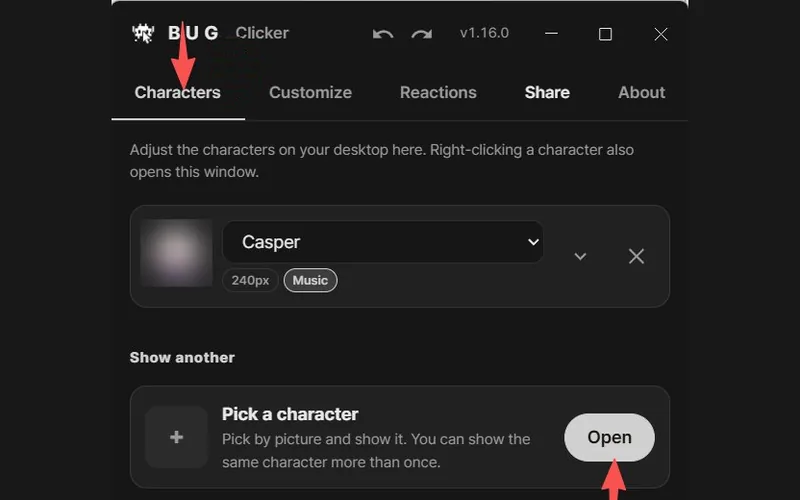
4아직 바탕화면에 없나요? Characters 탭을 열고 Pick a character 옆의 Open을 클릭하세요.
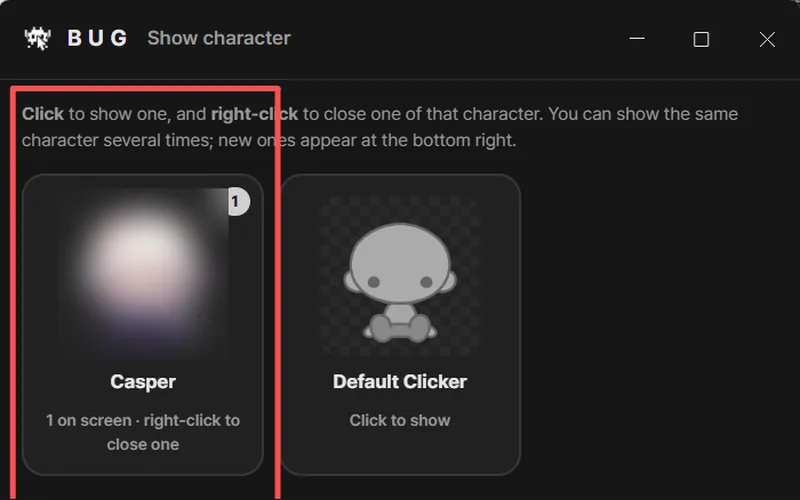
5Show character 창에서 펫을 클릭하면 바탕화면에 나타나요. 카드를 오른쪽 클릭하면 닫을 수 있어요.
스크린샷: BUG Clicker 1.16 영어 화면, X의 @NEKOYAMAMONO 님 제공
팁: 폴더를 뒤질 필요 없어요. 브라우저의 다운로드 목록에서 파일을 바로 상자로 끌어다 놓으세요.
- BUG Clicker의 모든 버전에서 돼요. 업데이트할 필요 없어요.
- 가져오면 캐릭터가 새로 추가돼요. 이미 있는 캐릭터를 바꾸지 않아요.
- 버튼 이름은 영어 화면 기준이에요. BUG Clicker를 다른 언어로 쓰고 있어도 버튼 위치는 같아요.
If the character doesn't show up
- Imported, but it isn't on the desktop? Importing adds it to your list. Open the Characters tab, click Open next to Pick a character, then click its card in the Show character window.
- Check the file ends in .cvclk. Some browsers add
.jsonor put it in a.zip. Unzip it first; BUG Clicker also accepts.jsonfiles exported this way. - Nothing happened after dropping? Click Choose file in the same box and pick the file instead. Then click Import in the window that opens.
- "Locked by its creator"? That file was exported with protection on. Only BUG Clicker can open it, and only the creator can change it.
- It imported but doesn't talk? Open the character in settings and turn on its speech bubble.
More fixes: BUG Clicker troubleshooting.
Have a PSD instead?
Open Character Studio, then Images → Load PSD. A PSD only carries the pictures; you add the name and lines in BUG Clicker. Not sure your PSD will load? Run it through the free PSD checker first.