
How to Import a Character into BUG Clicker (.cvclk)
Add a .cvclk character to BUG Clicker on Windows or Mac: open settings, drop the file into the Share tab, then show it from the Characters tab.
Last updated: 2026-10-31
A BUG Clicker character comes as a .cvclk file: one file with its pictures, name and lines. You add it from BUG Clicker's own settings. It takes about 15 seconds and works with every version of the app.
5ステップで BUG Clicker に追加
1デスクトップのペットを右クリックして Open settings… を選びます。画面にペットがいない場合は、右下のタスクトレイにある BUG Clicker のアイコンをクリックしてください(^ の矢印の中に隠れていることがあります)。
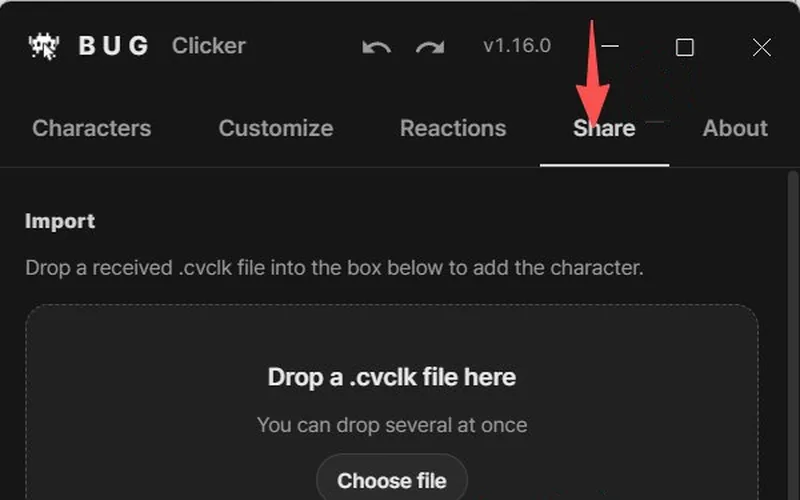
2Share タブを開きます。
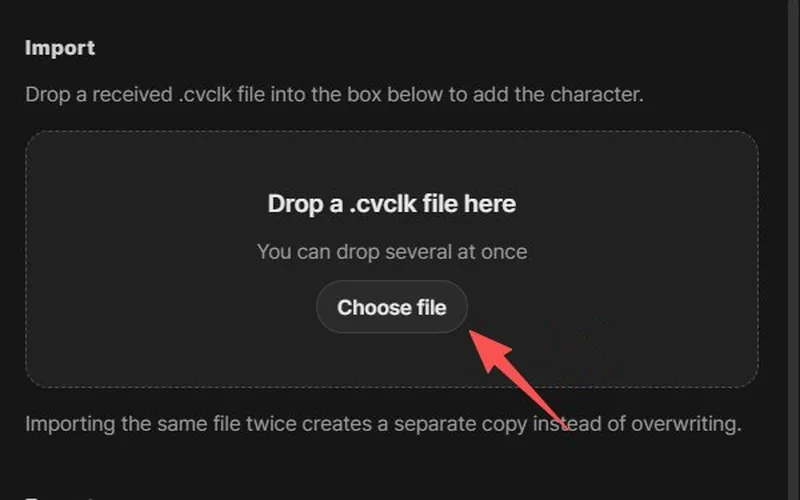
3.cvclk ファイルを Drop a .cvclk file here と書かれた枠にドラッグして(または Choose file をクリックして)、Import をクリックします。
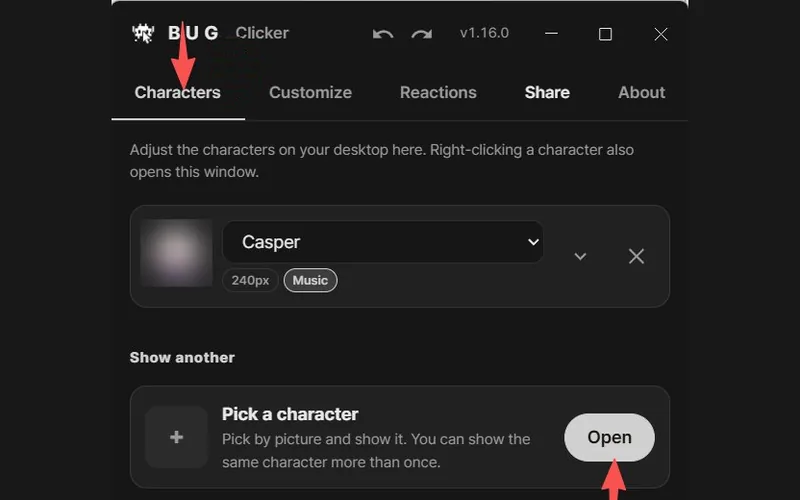
4まだデスクトップに出てこない? Characters タブを開き、Pick a character の横にある Open をクリックします。
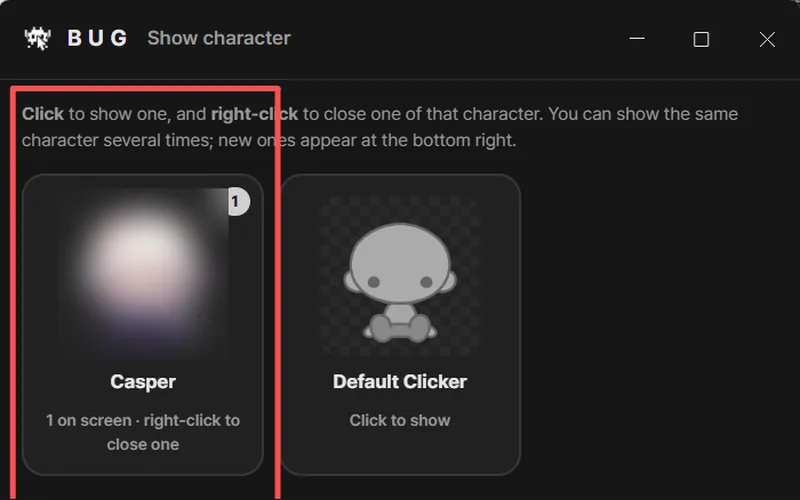
5Show character ウィンドウでペットをクリックすると、デスクトップに表示されます。カードを右クリックすると閉じられます。
スクリーンショット:BUG Clicker 1.16(英語表示)、X の @NEKOYAMAMONO さん提供
コツ:フォルダを探す必要はありません。ブラウザのダウンロード一覧から、ファイルをそのまま枠にドラッグしてください。
- BUG Clicker のどのバージョンでも使えます。アップデートは不要です。
- 読み込むとキャラクターが追加されます。今あるキャラクターが置き換わることはありません。
- ボタン名は英語表示のものです。BUG Clicker を別の言語にしていても、ボタンの場所は同じです。
If the character doesn't show up
- Imported, but it isn't on the desktop? Importing adds it to your list. Open the Characters tab, click Open next to Pick a character, then click its card in the Show character window.
- Check the file ends in .cvclk. Some browsers add
.jsonor put it in a.zip. Unzip it first; BUG Clicker also accepts.jsonfiles exported this way. - Nothing happened after dropping? Click Choose file in the same box and pick the file instead. Then click Import in the window that opens.
- "Locked by its creator"? That file was exported with protection on. Only BUG Clicker can open it, and only the creator can change it.
- It imported but doesn't talk? Open the character in settings and turn on its speech bubble.
More fixes: BUG Clicker troubleshooting.
Have a PSD instead?
Open Character Studio, then Images → Load PSD. A PSD only carries the pictures; you add the name and lines in BUG Clicker. Not sure your PSD will load? Run it through the free PSD checker first.